16 lanes, each running its own step length and timing division. Sculpt velocities in one swipe, split ratchets, perform live Kaoss fills, and print quantized MIDI clips directly into your Ableton Live session—or drive hardware drum machines over USB-C.
Run a 7-step snare over a 16-step kick and a 12-step triplet clap. Pinch any lane or drag its step count (1–32) on the fly.
Every cell is a vertical velocity bar. Swipe across a row to draw accents and ghosts in one motion, split steps into 2–4 ratchets, or nudge timing.
Hold the XY pad to inject SPRAY, QUOTE, or ROLL fills synced to your grid, or hit the red DRP strip to mute the kit for a quantized drop.
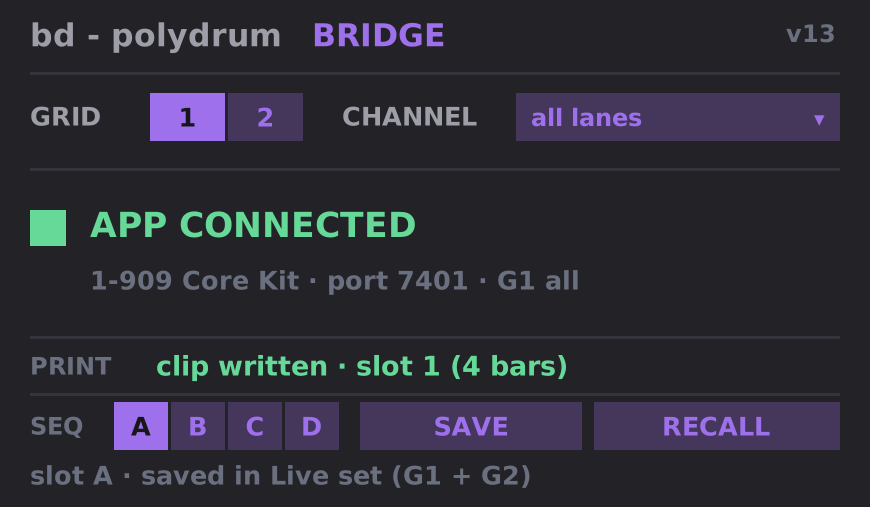
Tap KIT to pull your Drum Rack pad names onto the iPad. Tap PRINT to write unrolled polyrhythmic MIDI clips straight into Live's Session View.
Download and double-click PolyDrum_Bridge.alp. Ableton Live installs the pack: you'll find bd - polydrum bridge in the browser under Packs › PolyDrum Bridge.
Drag bd - polydrum bridge.amxd onto any MIDI track before your Drum Rack. Keep your Mac and iPad on the same Wi-Fi network—connection is automatic.
Tap KIT on iPad to load your Drum Rack pad names. Tap PRINT to write your pattern or chain into a new MIDI clip slot in Ableton.
In MIDI mode, network packets are silenced and all 16 lanes route directly through CoreMIDI with 300ms sample-accurate lookahead.
Plug your iPad into any class-compliant drum machine (TR-8S, Digitakt, Perkons), USB MIDI interface, or Mac over USB-C.
Long-press the PolyDrum icon on your iPad Home Screen (or open Settings → PolyDrum → Output) and select MIDI.
Hold SHIFT and drag vertically on any lane name to roll its MIDI note (0–127), or double-tap with SHIFT to type custom names and notes.